
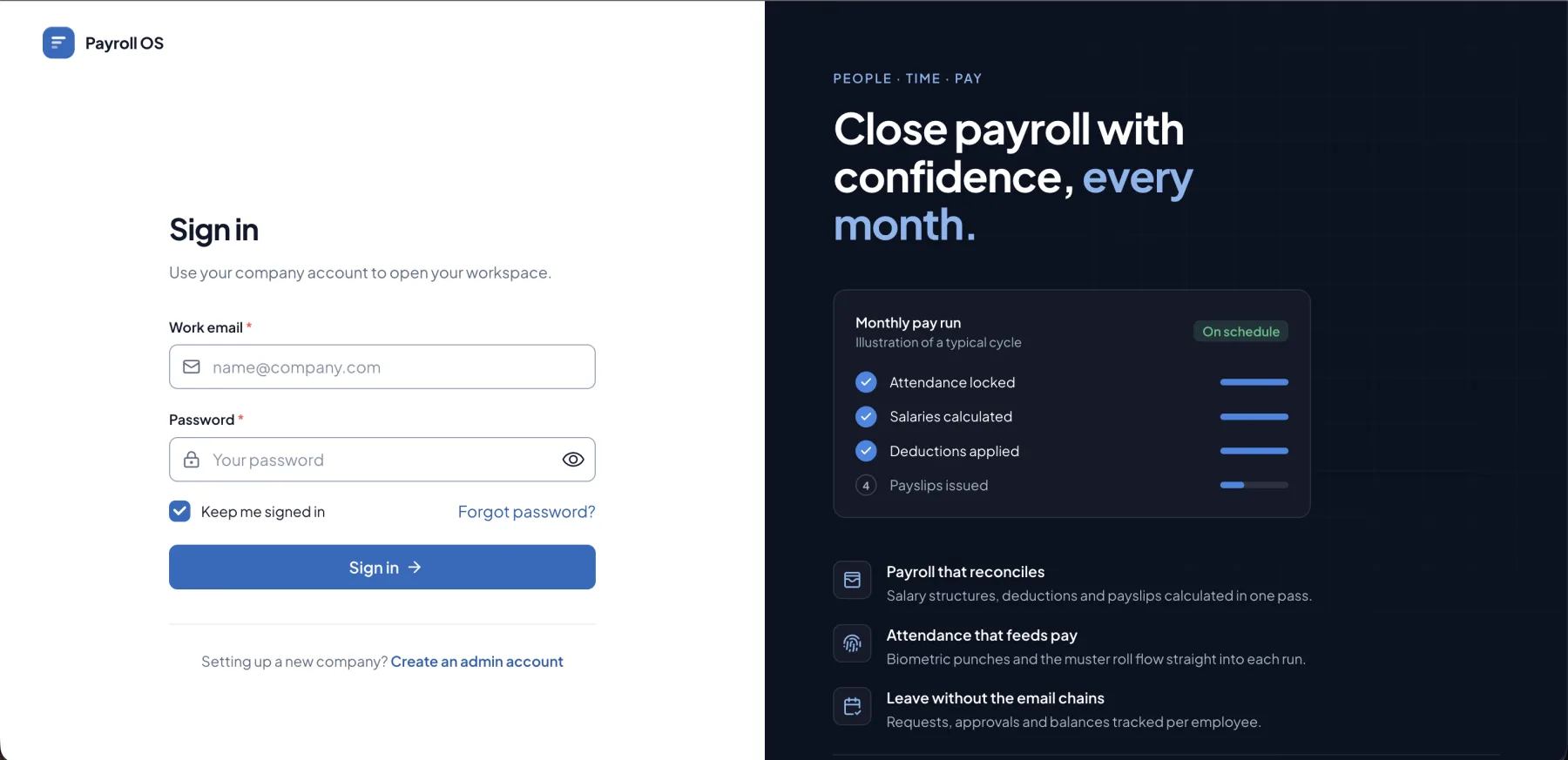
HR & Payroll Platform
Employees, attendance, leave and payroll, in one workspace.
- modules in one workspace
- 12
- end-to-end workflows
- 3
- teams served
- 4
- industries served
- 4
- Multi-company workspace
- Attendance to payslip
- PF, ESI, PT & TDS deductions
- Payslips printed or emailed
Overview
People · Time · Pay
Keep every employee record, attendance mark, leave request and salary structure in one place, then run the month's payroll and send payslips in a few clicks. Built for offices, factories and multi-company groups that run attendance, leave and payroll every month.
One record per employee
Attendance, leave and payroll all read from the same employee record.
Payroll in minutes
Structures and attendance are already there, so a pay run is a month, a year and a confirmation.
Nothing paid twice
Each month can be run once, and every payslip is kept in the history.
Everything in view
Pending leave, open pay runs and today's attendance wait for you on the dashboard.
Highlights
Get the highlights.
01 / 05
Your people, organised
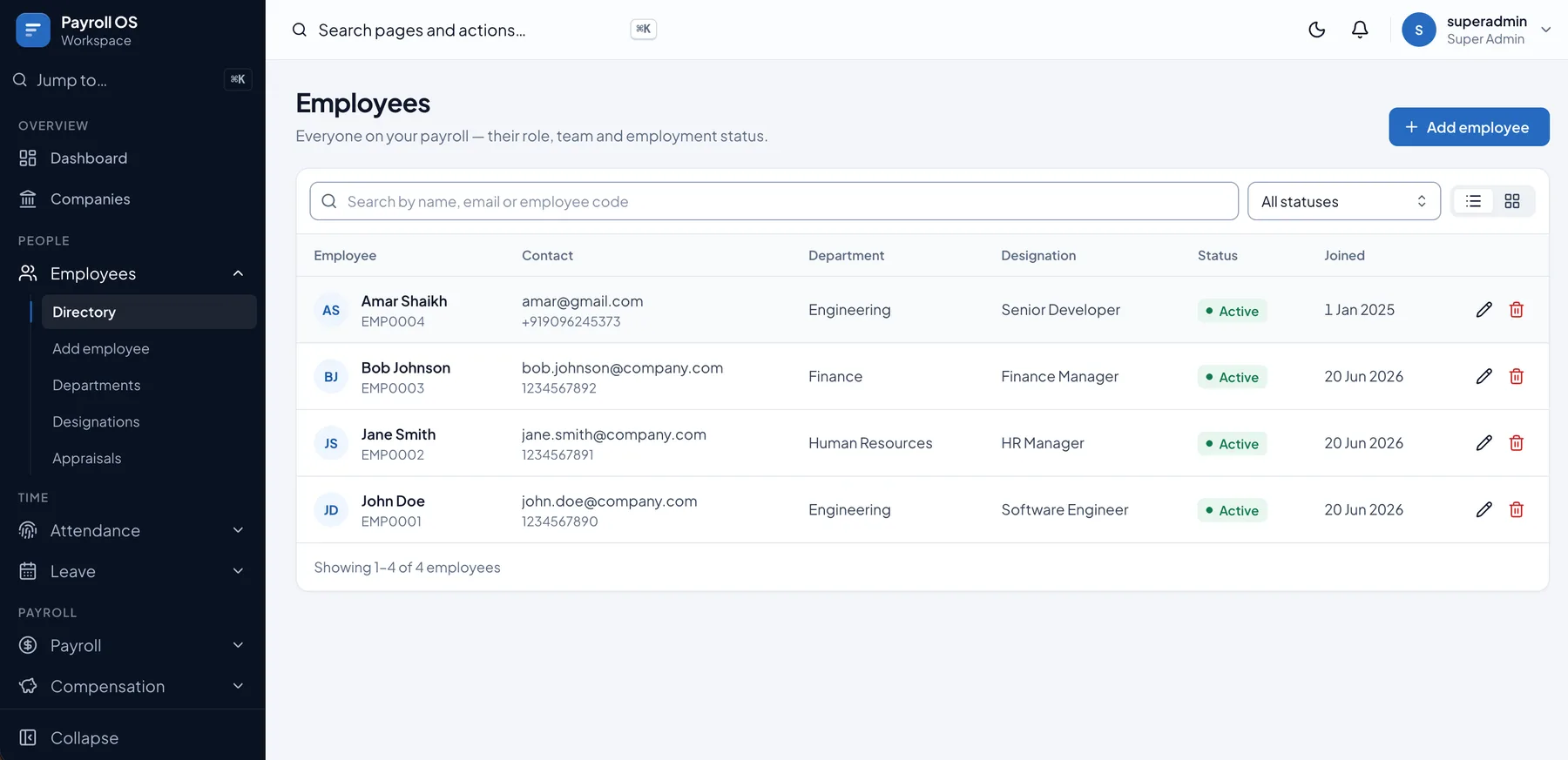
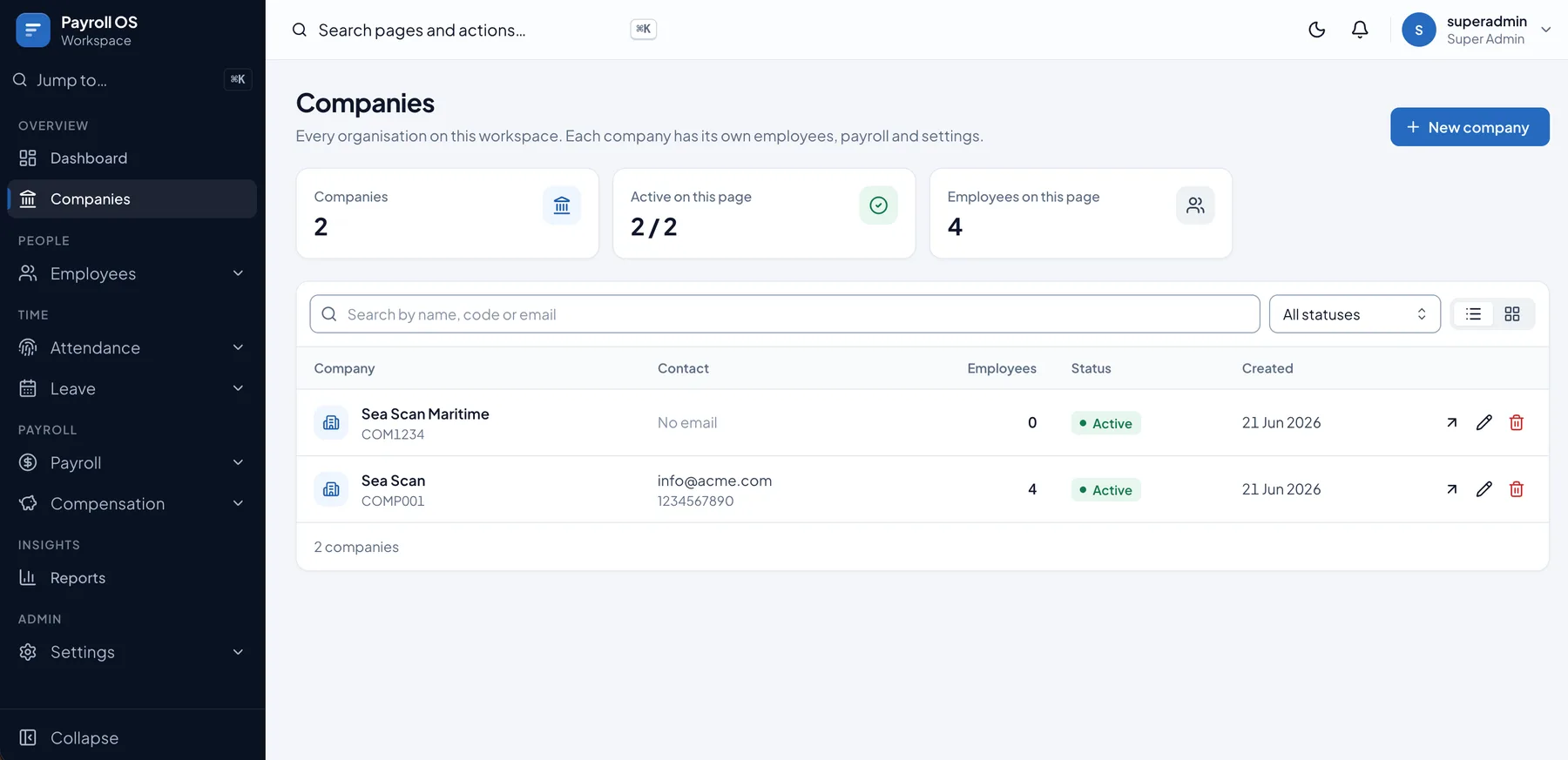
Every company, department and designation in one workspace. Add an employee once — personal, employment, bank and tax details — and the code is generated for you.
- Companies
- Employee Directory
- Departments & Designations
02 / 05
Attendance at a glance
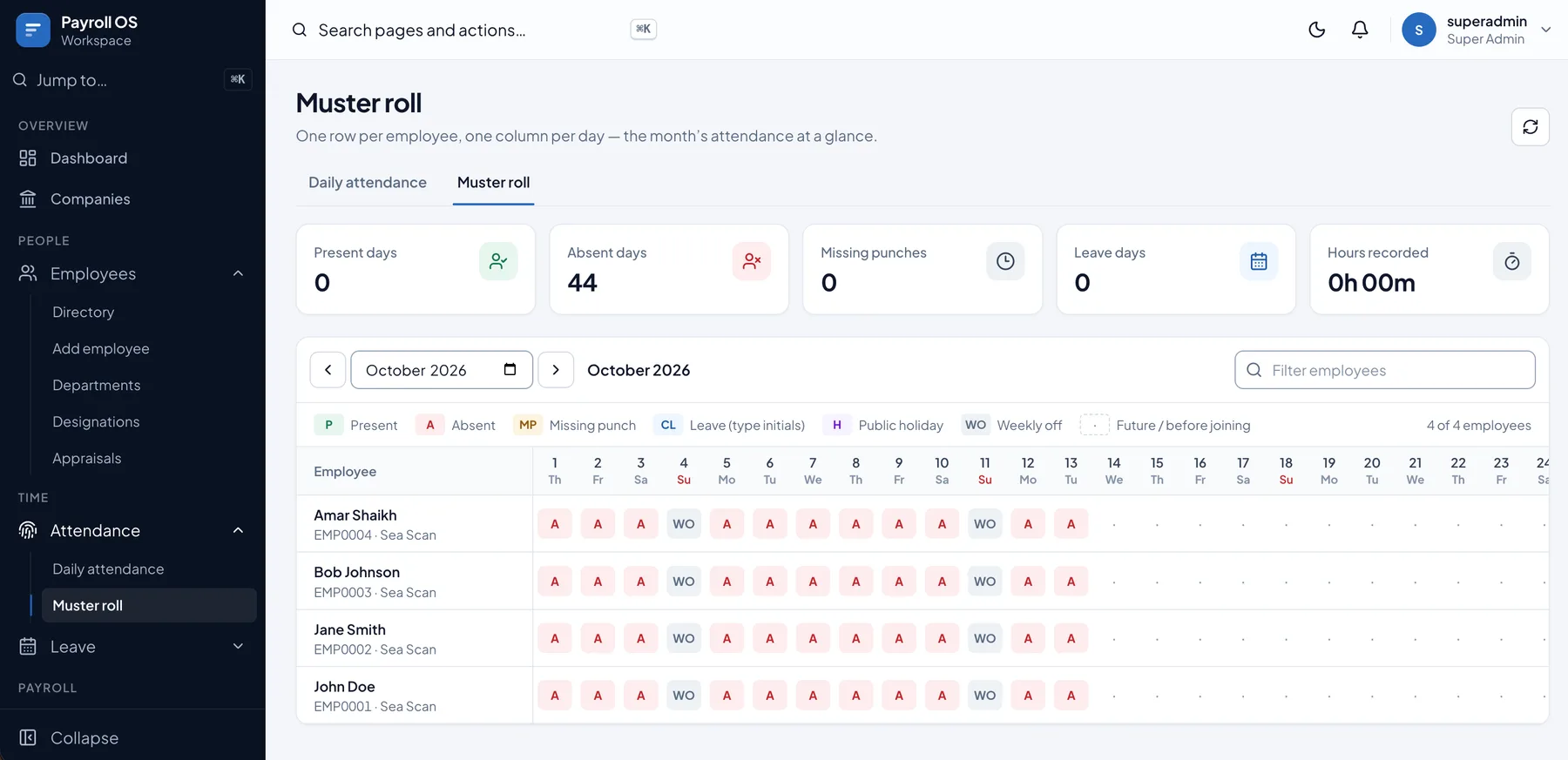
The muster roll shows the whole month: present, absent, missing punches, leave, holidays and weekly offs, with hours recorded for every employee.
- Daily Attendance
- Muster Roll
03 / 05
Leave without the paperwork
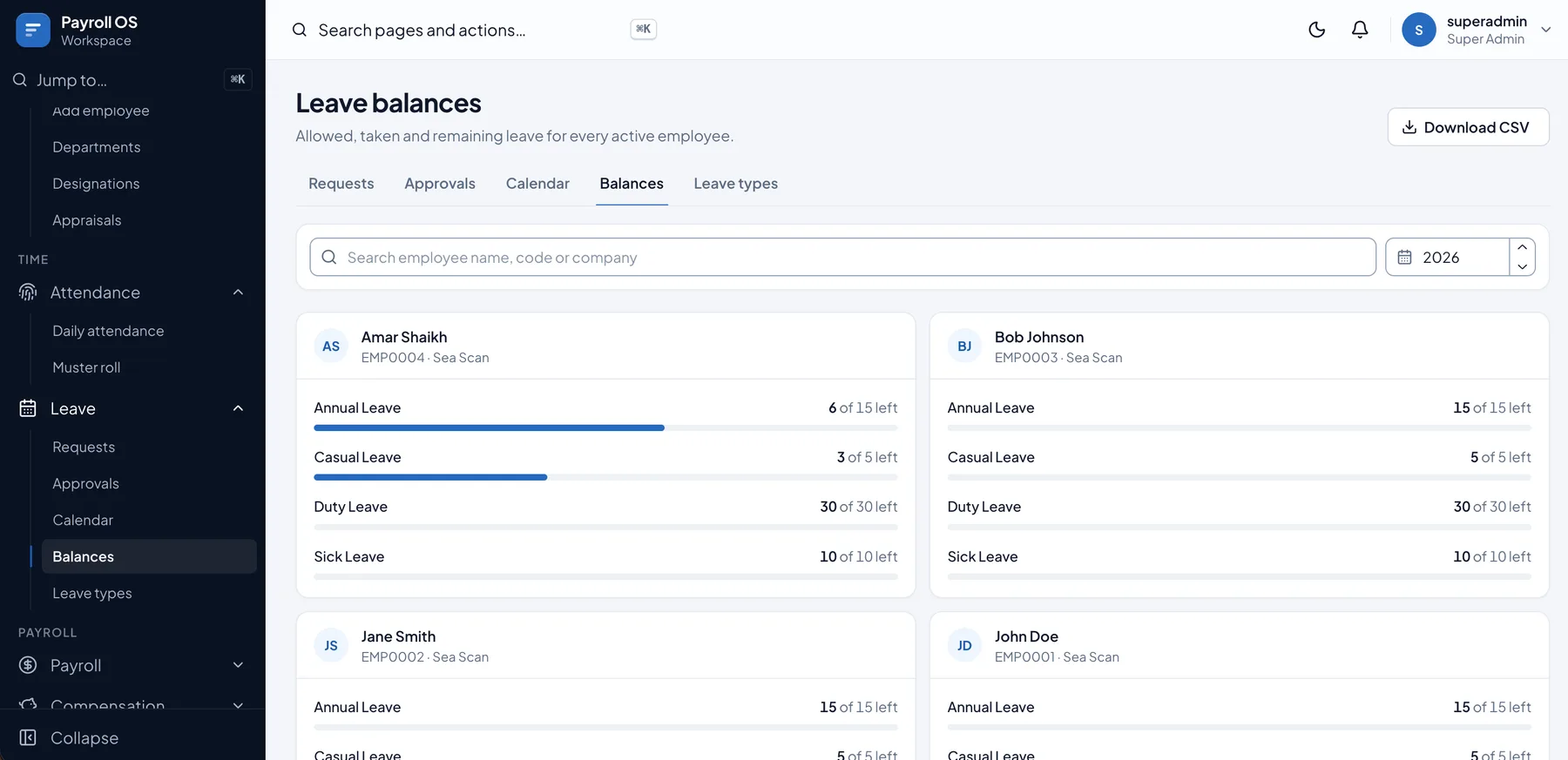
Employees' requests, approvals, a shared calendar and live balances against paid and unpaid leave types with yearly quotas.
- Requests & Approvals
- Leave Calendar
- Balances & Leave Types
04 / 05
Pay that adds up
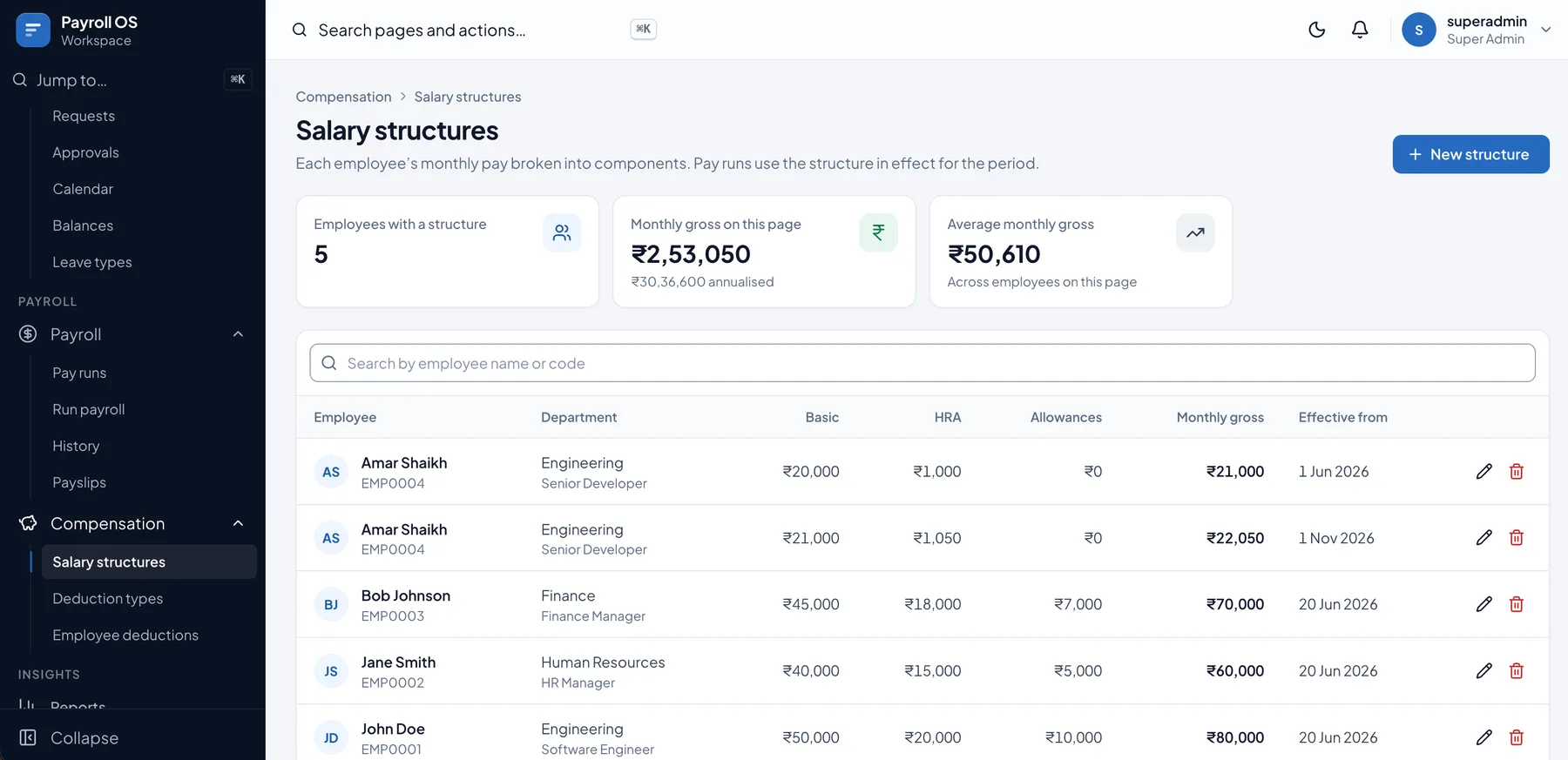
Salary structures with basic, HRA and allowances, deductions such as PF, ESI, PT and TDS, and appraisals that take effect on the right date.
- Salary Structures
- Deductions
- Appraisals
05 / 05
Run payroll, send payslips
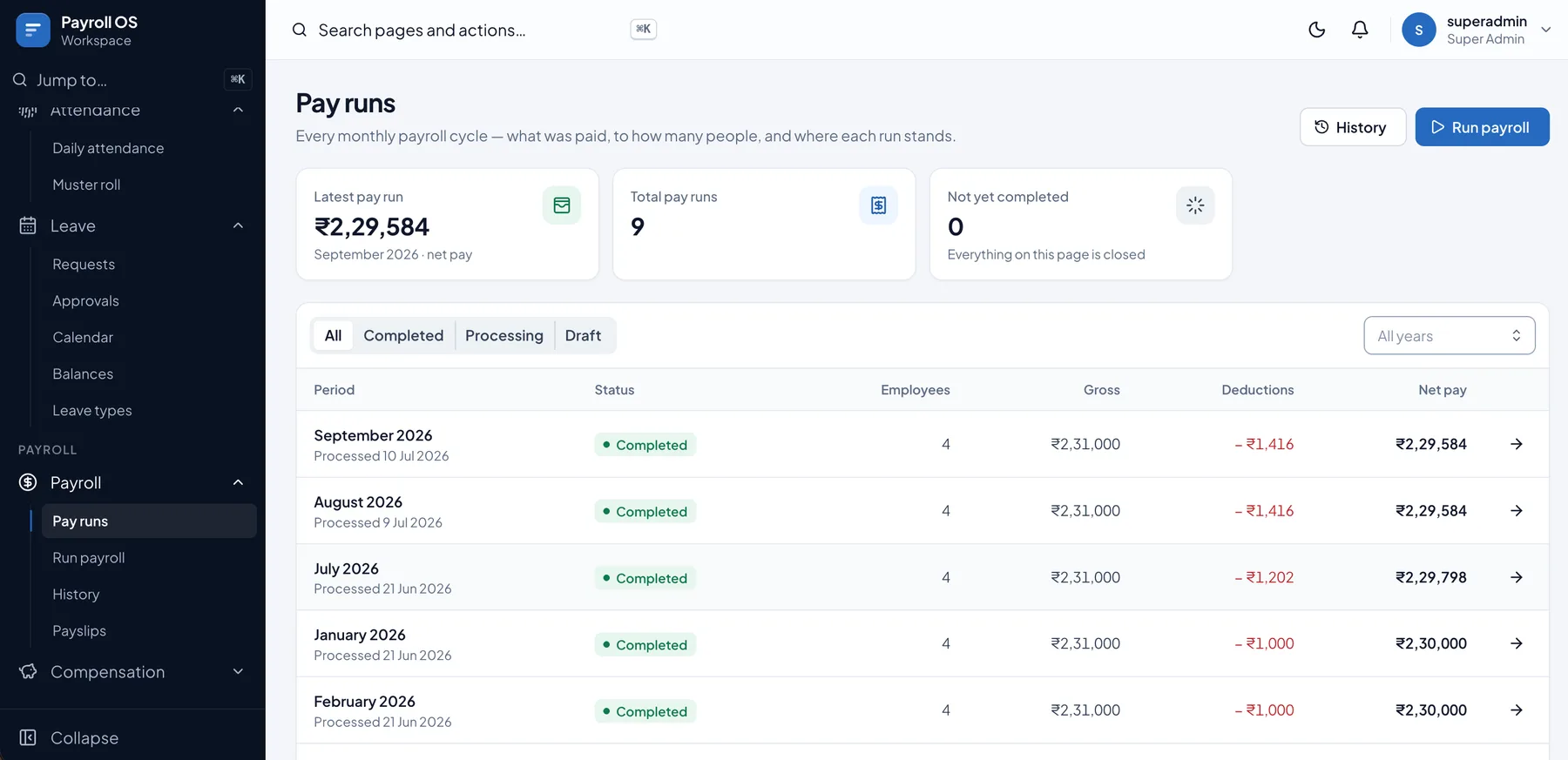
Choose the month and confirm. Every run lists gross, deductions and net pay, and every payslip can be previewed, printed or emailed.
- Pay Runs
- Payslips
- Payroll History
01
Your people, organised
Every company, department and designation in one workspace. Add an employee once — personal, employment, bank and tax details — and the code is generated for you.
- Companies
- Employee Directory
- Departments & Designations
02
Attendance at a glance
The muster roll shows the whole month: present, absent, missing punches, leave, holidays and weekly offs, with hours recorded for every employee.
- Daily Attendance
- Muster Roll
03
Leave without the paperwork
Employees' requests, approvals, a shared calendar and live balances against paid and unpaid leave types with yearly quotas.
- Requests & Approvals
- Leave Calendar
- Balances & Leave Types
04
Pay that adds up
Salary structures with basic, HRA and allowances, deductions such as PF, ESI, PT and TDS, and appraisals that take effect on the right date.
- Salary Structures
- Deductions
- Appraisals
05
Run payroll, send payslips
Choose the month and confirm. Every run lists gross, deductions and net pay, and every payslip can be previewed, printed or emailed.
- Pay Runs
- Payslips
- Payroll History
Guided demo · sample data
Try PayroNext yourself.
Click through a real workflow on a sample company. Each step shows the actual screen and what it adds to the record.
Step 1 of 9
Set up the company
Add the company to the workspace. Each company keeps its own employees, payroll and settings, so a group can run several from one login.
- Companies
- Settings
The workflow
How PayroNext works.
PayroNext takes a company from setup to payslip in one workflow — organise the people, record their time, set their pay, then run payroll every month.
Step 01
Set up the company
Add the company to the workspace. Each company keeps its own employees, payroll and settings, so a group can run several from one login.
Result: A company ready for its people, policies and pay.
- Companies
- Settings
Step 02
Organise departments and designations
Create the departments employees belong to and the designations within each one. Headcount and reports roll up by department.
Result: A clear structure that every employee record points to.
- Departments
- Designations
Step 03
Add employees
Enter personal, employment, bank & tax and address details once. The employee code is generated automatically, and attendance, leave and payroll all read from this record.
Result: A complete directory with department, designation, status and joining date.
- Employee Directory
- Add Employee
Step 04
Set pay and deductions
Give each employee a salary structure — basic, HRA and allowances — with an effective-from date, and assign deductions such as PF, ESI, professional tax and TDS.
Result: Every employee's monthly gross and deductions are known before payroll runs.
- Salary Structures
- Deduction Types
- Employee Deductions
Step 05
Record attendance
Mark daily attendance and review the muster roll for the month — present, absent, missing punches, leave, public holidays and weekly offs, with hours recorded.
Result: The month's attendance is ready to adjust pay.
- Daily Attendance
- Muster Roll
Step 06
Manage leave
Employees' leave requests are approved or rejected, appear on the leave calendar and come off their balances for each paid or unpaid leave type.
Result: Balances are always current, and approved leave flows into attendance.
- Requests
- Approvals
- Calendar
- Balances
Step 07
Run payroll
Choose the month and confirm. Pay is taken from each structure in effect and adjusted for attendance; employees without a structure are skipped, and each month can only be run once.
Result: A completed pay run with gross, deductions and net pay for everyone.
- Run Payroll
- Pay Runs
Step 08
Send payslips
Preview, print or email every employee's payslip, and find any salary ever paid in the payroll history.
Result: Employees have their payslips and the history is kept for every month.
- Payslips
- Payroll History
Step 09
Review and revise
Watch net payroll by month and what needs attention on the dashboard. Approve appraisals with an effective date and they apply to every pay run from then on.
Result: Pay stays current without editing past payroll.
- Dashboard
- Appraisals
- Reports
In short: Set up the company and its teams, add employees, set their pay and deductions, record attendance and leave, run payroll and send payslips.
Built for every team.
HR teams
Keep employee records, departments and designations current, and manage leave requests and balances.
Payroll & accounts
Maintain salary structures and deductions, run the monthly payroll and send payslips.
Managers
Approve leave, check today's attendance and review appraisals for their team.
Group administrators
Run several companies from one workspace, each with its own employees and settings.
Target industries
- Offices
- Factories
- Growing businesses
- Multi-company groups
Integrations & exports
- Biometric attendance devices
- Payslips by email
- CSV export
Need another system connected? We build custom integrations as part of implementation.
See PayroNext run your business.
- 01
A guided demo
PayroNext with sample data, focused on the workflows your team runs every day.
- 02
Shaped to you
We built PayroNext, so we can configure it for your workflows or extend it with the modules you need.
- 03
Clear pricing
Licensing depends on the modules, users and deployment you need, and is shared during the demo.
Common questions
Can PayroNext run payroll for more than one company?
Yes. One workspace can hold several companies, each with its own employees, payroll and settings.
Which deductions does it handle?
Any deduction you define, as a fixed monthly amount or a percentage — for example PF, ESI, professional tax and TDS — plus loans and advances assigned to individual employees.
How does attendance affect pay?
Each pay run takes the salary structure in effect for the month and adjusts it using that month's attendance records, including leave and weekly offs.
Can employees get their payslips by email?
Yes. Every payslip can be previewed, printed or emailed, and stays in the payroll history.
What happens when someone gets a raise?
Create an appraisal with an effective date. Once approved, the new pay applies to pay runs on or after that date, without changing past payroll.
Request a demo
See PayroNext with your workflows.
A guided walkthrough with sample data, tailored to how your team works. Pricing and licensing are shared during the demo.
Related products
Explore the product line.
Business ERP
BizCore
A powerful multi-company ERP for people, clients, billing, compliance, payroll, expenses, purchases, finance and more.
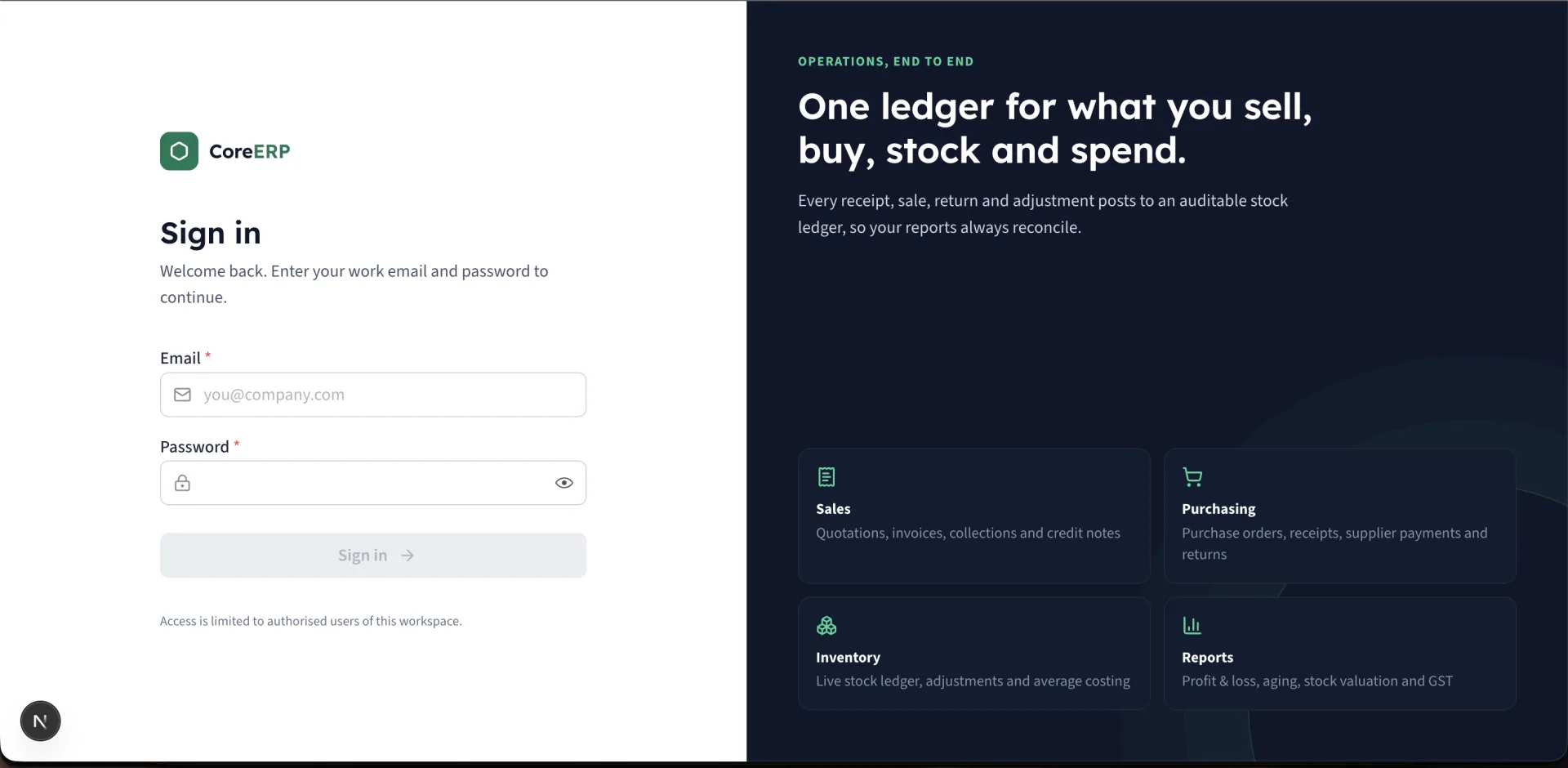
Business Management
Core ERP
Manage customers, inventory, purchases, quotations, sales, expenses and more — all in one powerful, easy-to-use platform.
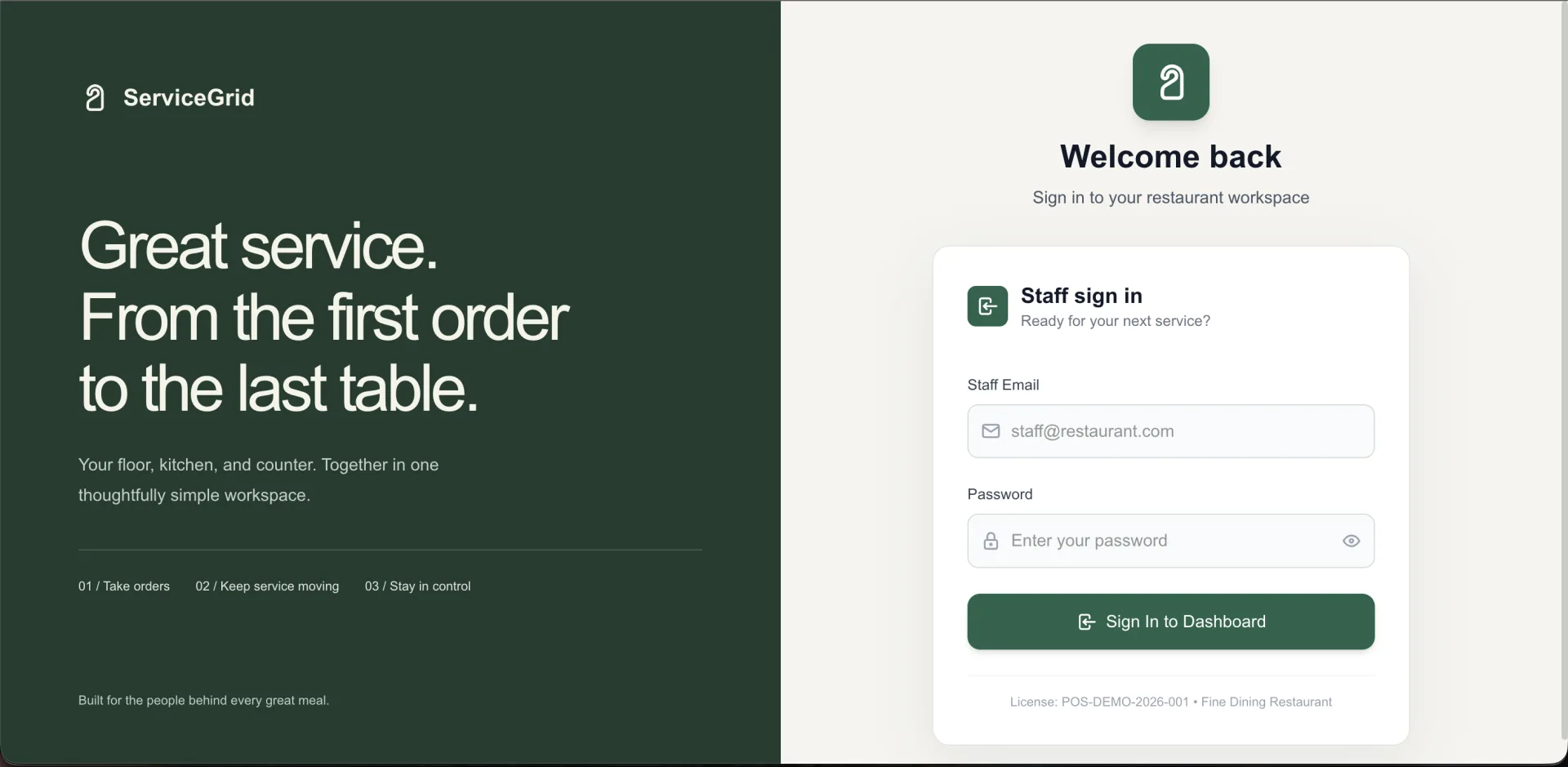
Restaurant POS
ServiceGrid
A complete restaurant operations platform for POS, table service, kitchen, inventory, staff and business reporting.