
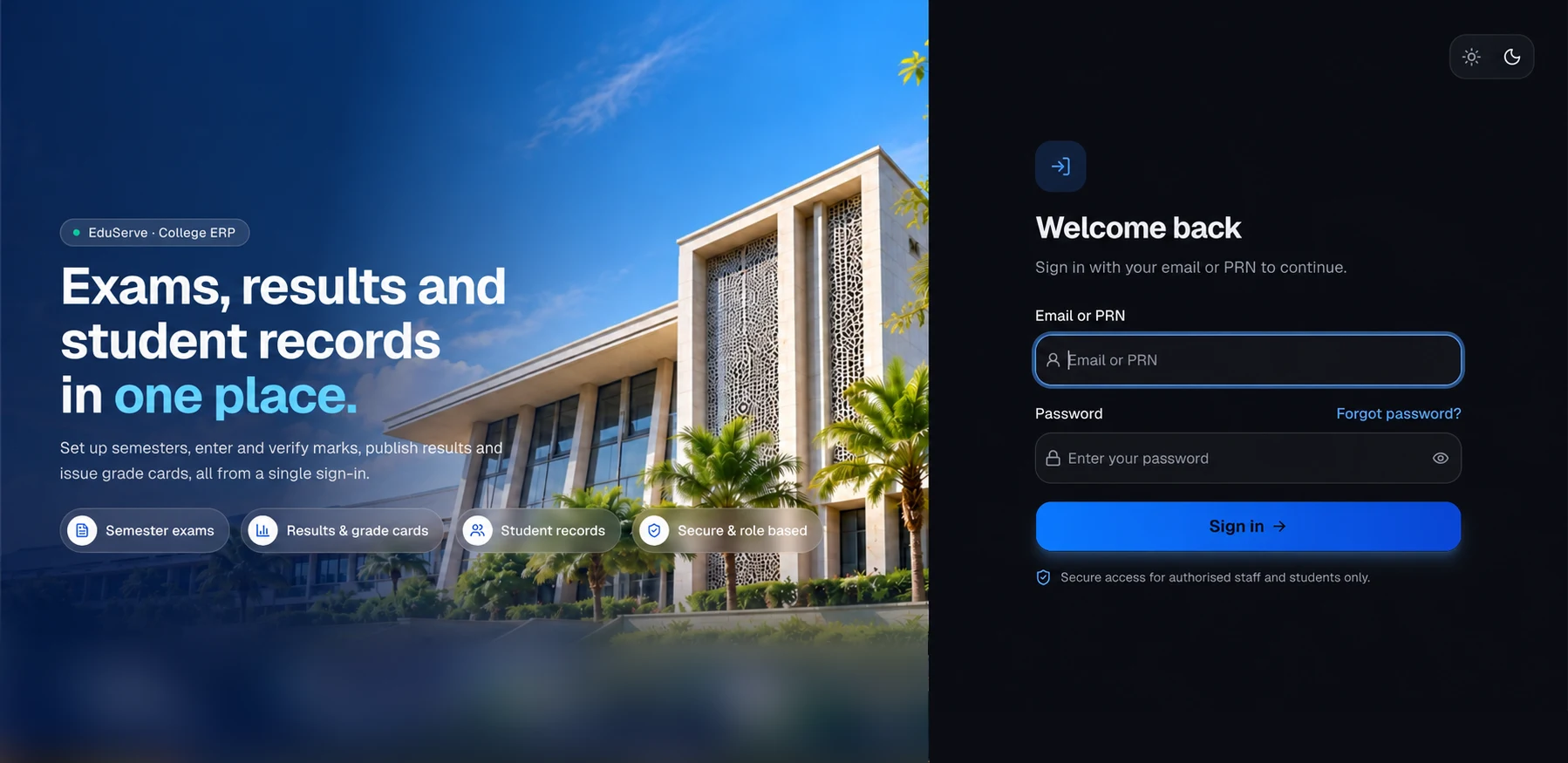
College ERP & Student Services
Run your whole college, from one workspace.
- modules in one workspace
- 18
- ready-made reports
- 15
- end-to-end workflows
- 4
- teams served
- 6
- Student services with approval workflows
- Semester exams, grade cards & SGPA
- Daily attendance with parent WhatsApp alerts
- QR-verifiable certificates & grade cards
Overview
Services · Exams · Attendance · Fees
A college ERP for student services, academics, semester examinations, attendance, fees and staff: students apply online, staff approve in their own queues, marks go from teachers to verified results, and certificates and grade cards are issued as numbered PDFs anyone can verify by QR code. Built for colleges and autonomous institutions that run student services, semester examinations, attendance, fees and the library from one office.
One record per student
Services, enrolment, attendance, marks, results, fees and library loans all read from the same student.
Every step accounted for
Each decision, mark verification, correction, payment and certificate is recorded, with SLA timers and an append-only audit log.
Documents you can trust
Certificates and grade cards are numbered PDFs with QR codes that anyone can check against the college's own register.
New services without code
Add a service — its fee, form, documents, workflow and certificate — from the admin screens.
Highlights
Get the highlights.
01 / 06
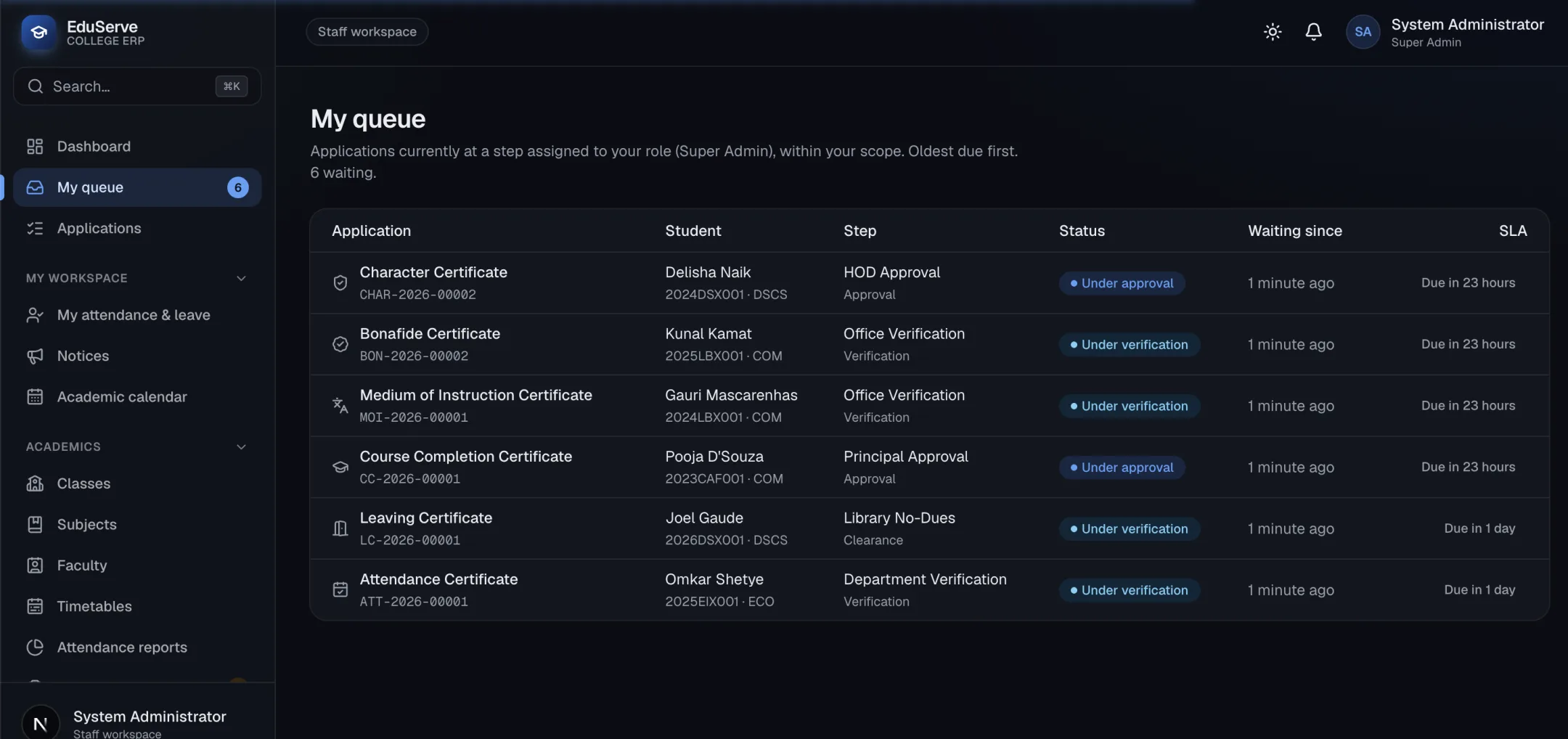
Every request, in the right queue
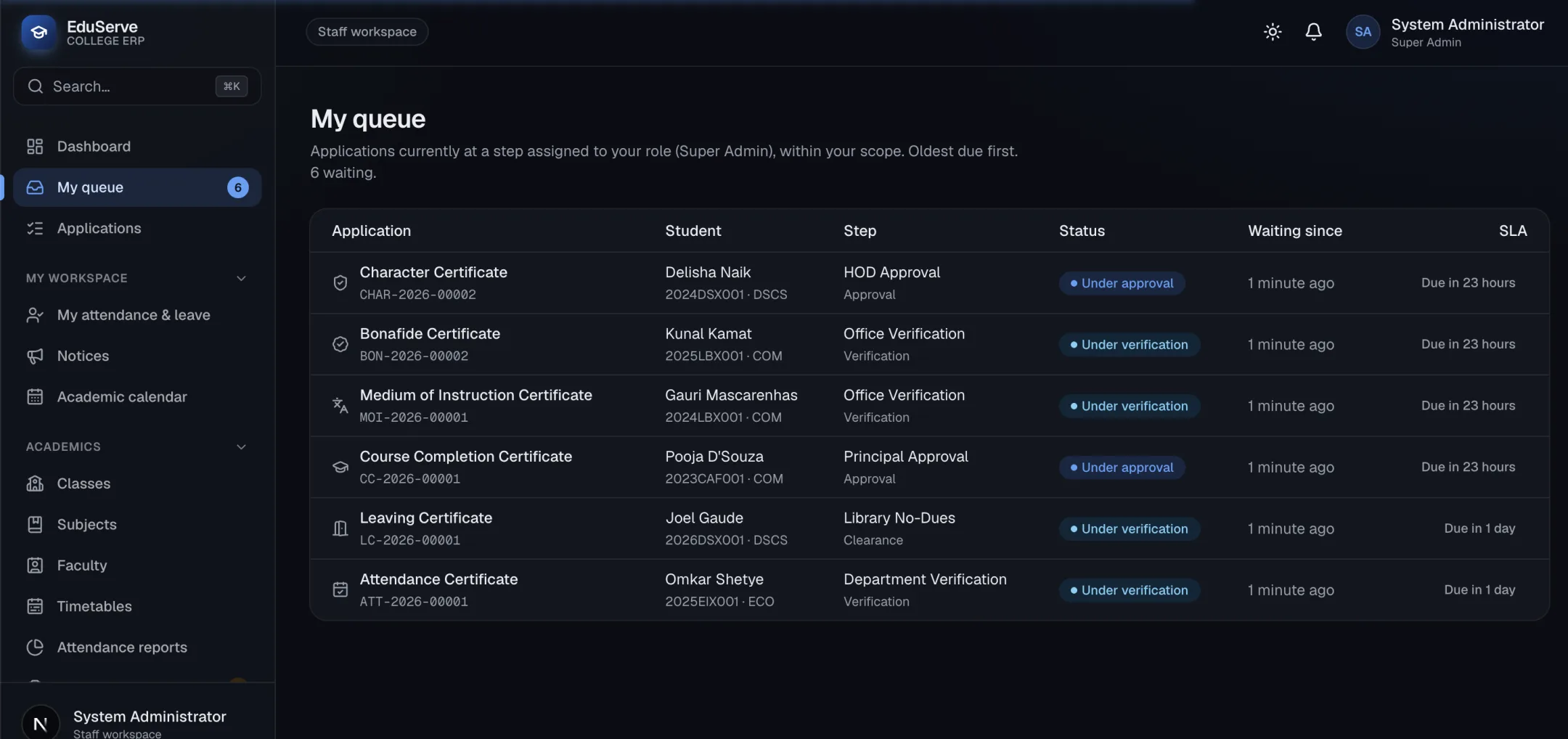
Students apply for certificates and ID cards online. Each request moves through verification, clearance and approval, and every staff member sees only what's waiting on them — oldest due first.
- Student Services
- Approval Queues
- Services & Workflows
02 / 06
Certificates anyone can verify
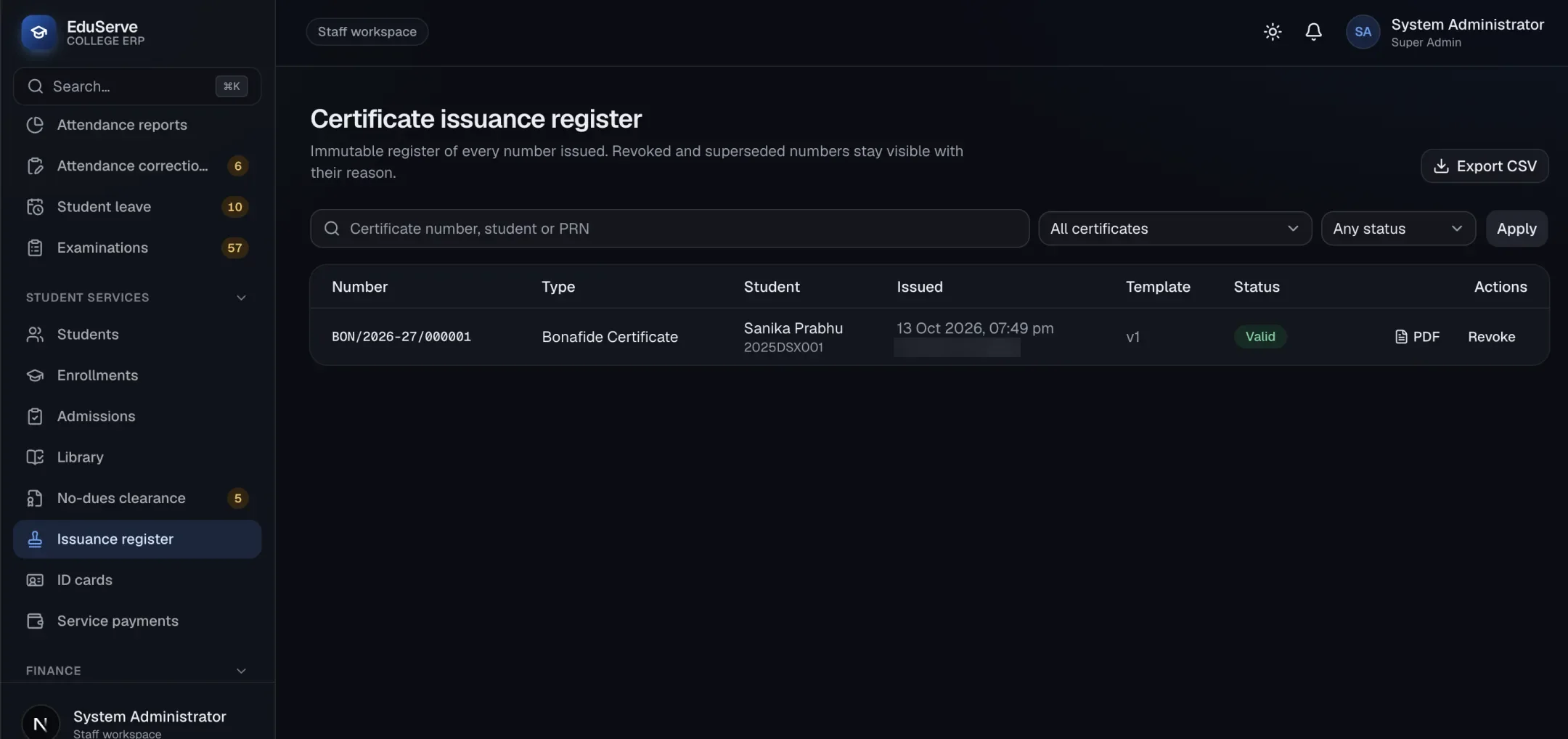
Final approval issues a numbered PDF with a QR code. The issuance register keeps every number, and ID cards are tracked from generation to issue.
- Certificates & Verification
- ID Cards
03 / 06
From marks entry to grade cards
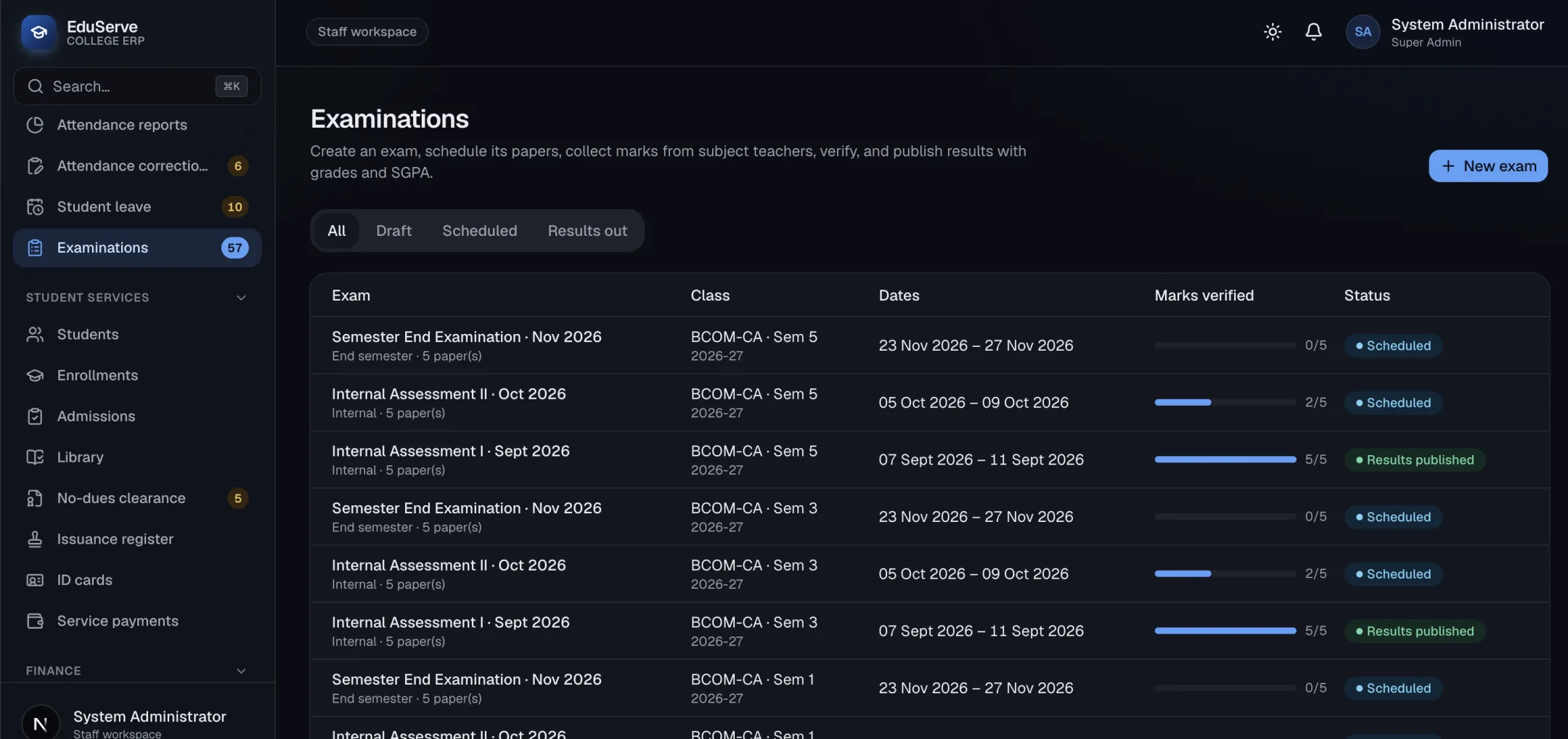
Teachers enter internal, semester-end and practical marks; the Exam Cell verifies and publishes them; the Principal declares results and issues QR-verifiable grade cards with SGPA — then promotes the semester.
- Semester Examinations
- Results & Grade Cards
04 / 06
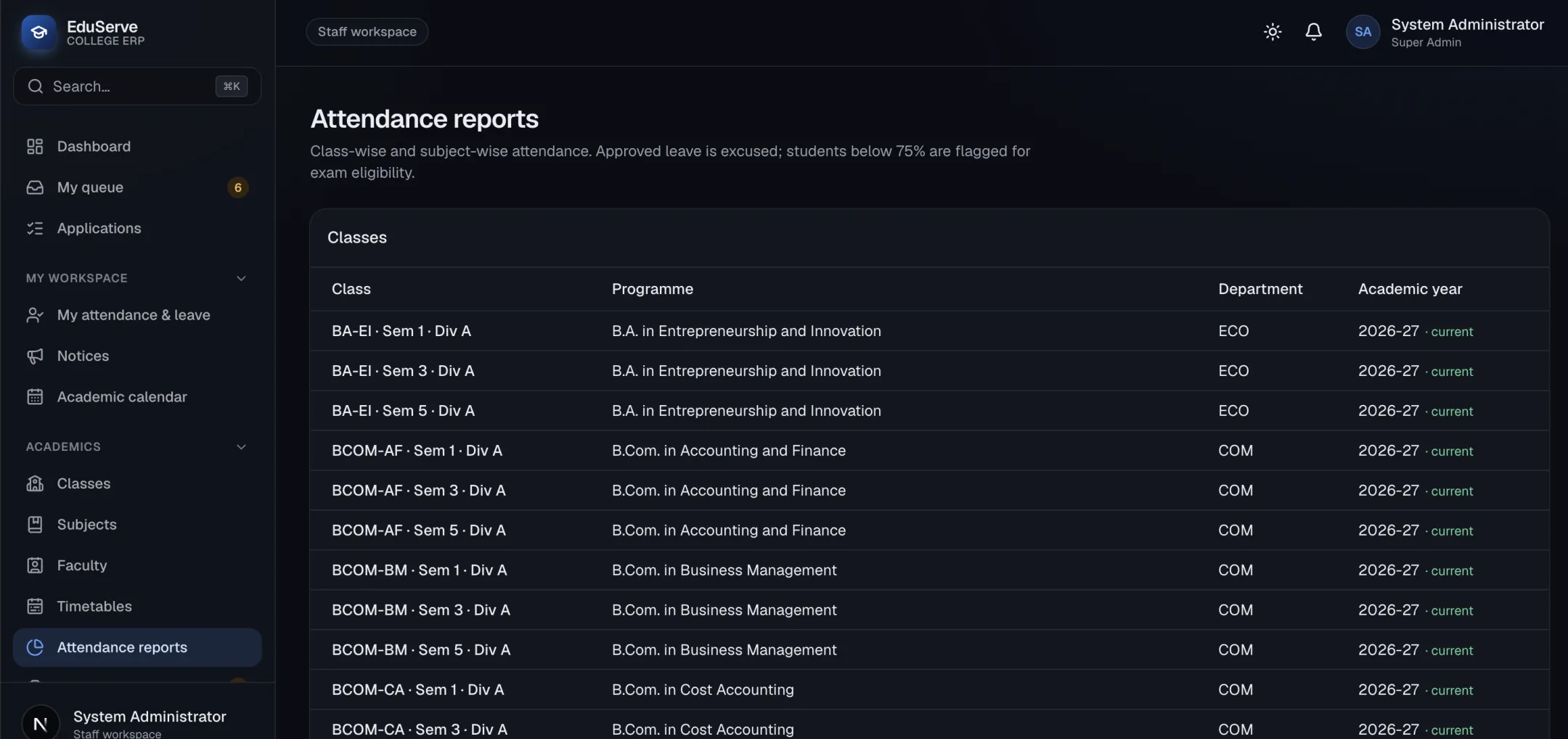
Attendance parents hear about
Classes, subjects and timetables feed a daily register and subject-wise attendance. Students below 75% are flagged, and parents who opted in get a WhatsApp alert on the day of an absence.
- Classes, Subjects & Timetables
- Attendance & Parent Alerts
05 / 06
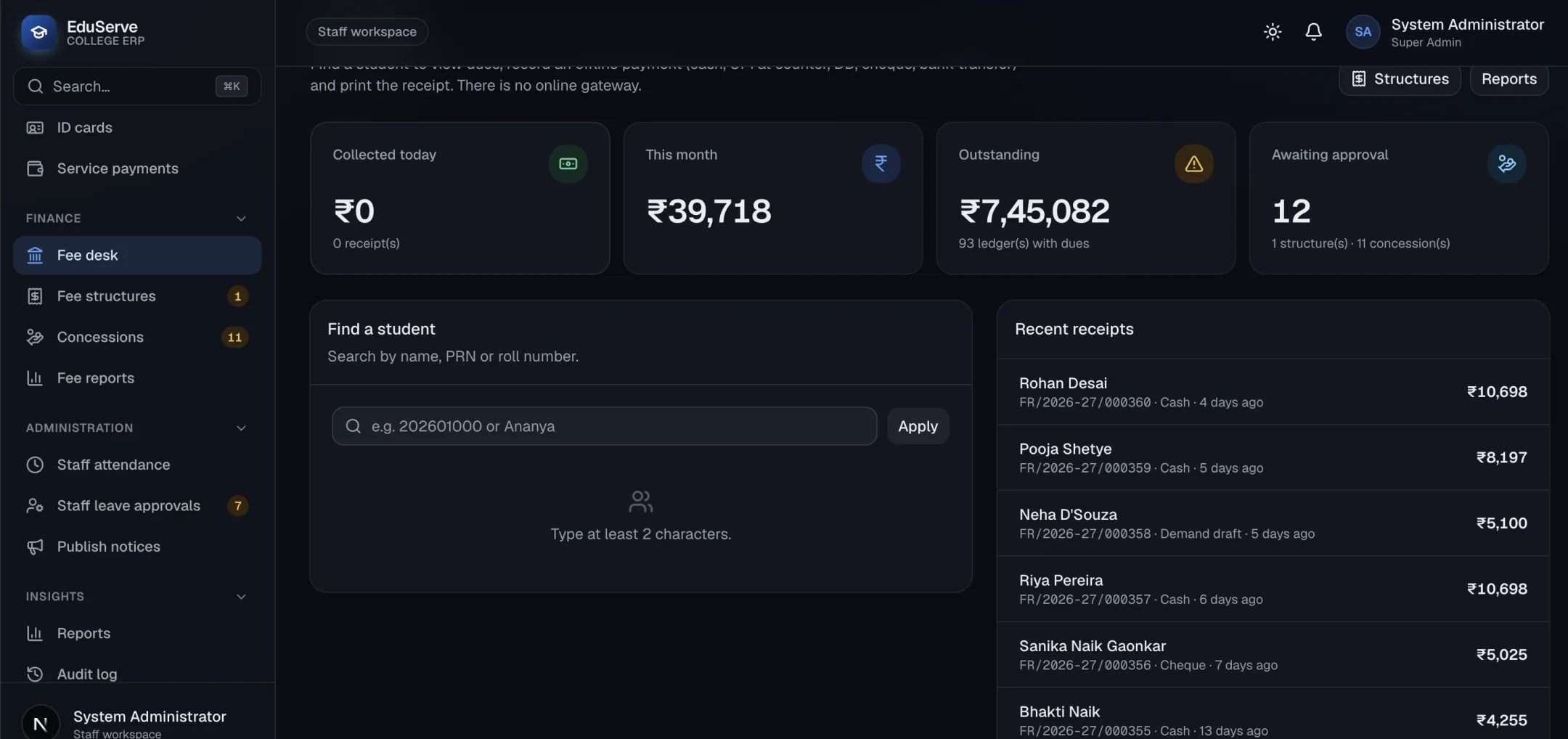
Fees collected at the counter
Find a student, see their dues and record the payment with a receipt. Fee structures and concessions go through approval, and reports show collections by payment method.
- Fees & Concessions
- No-Dues Clearance
06 / 06
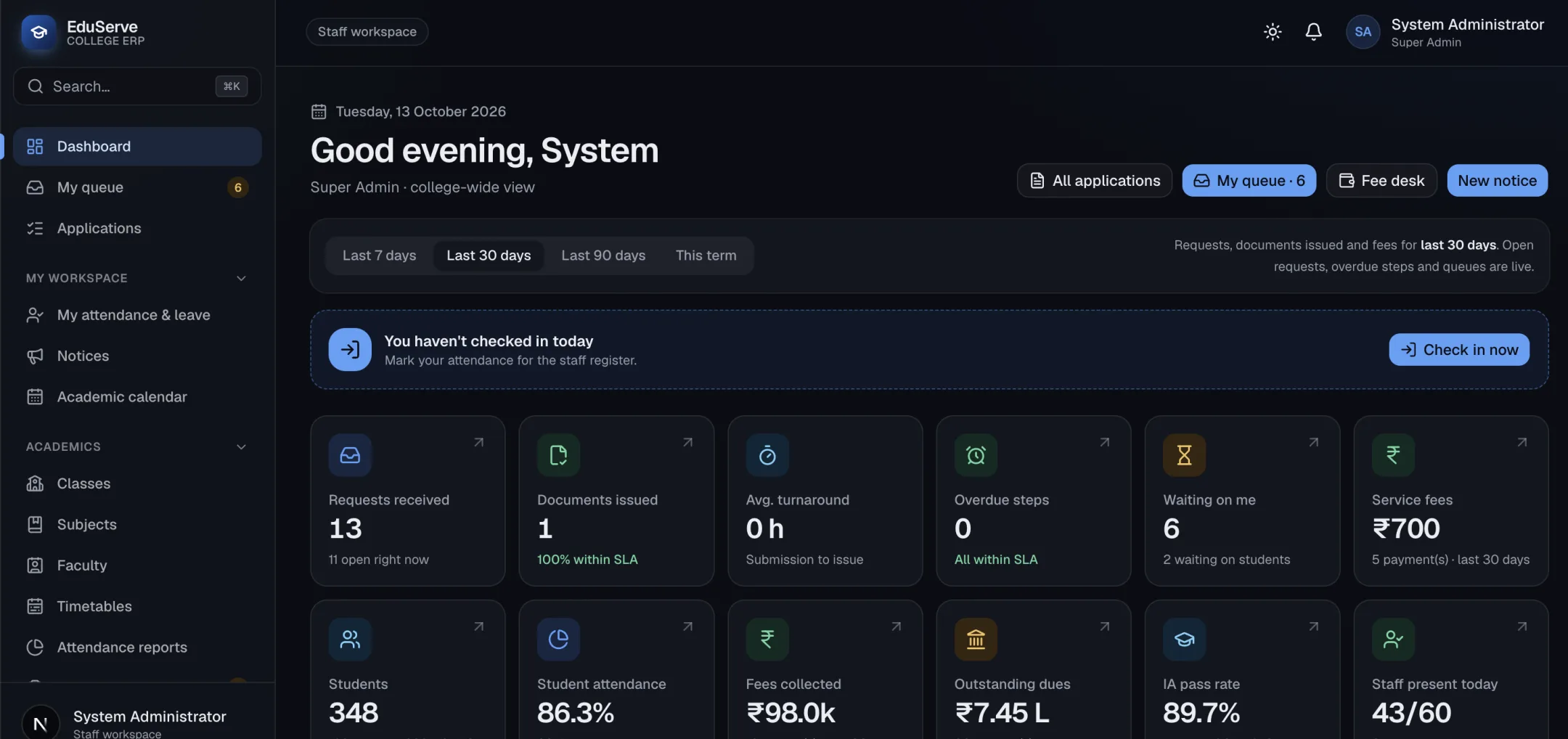
The whole college at a glance
The dashboard brings requests, turnaround, attendance, fees, results and what's waiting on you together, and every report exports to CSV.
- Dashboard
- Reports & Audit
01
Every request, in the right queue
Students apply for certificates and ID cards online. Each request moves through verification, clearance and approval, and every staff member sees only what's waiting on them — oldest due first.
- Student Services
- Approval Queues
- Services & Workflows
02
Certificates anyone can verify
Final approval issues a numbered PDF with a QR code. The issuance register keeps every number, and ID cards are tracked from generation to issue.
- Certificates & Verification
- ID Cards
03
From marks entry to grade cards
Teachers enter internal, semester-end and practical marks; the Exam Cell verifies and publishes them; the Principal declares results and issues QR-verifiable grade cards with SGPA — then promotes the semester.
- Semester Examinations
- Results & Grade Cards
04
Attendance parents hear about
Classes, subjects and timetables feed a daily register and subject-wise attendance. Students below 75% are flagged, and parents who opted in get a WhatsApp alert on the day of an absence.
- Classes, Subjects & Timetables
- Attendance & Parent Alerts
05
Fees collected at the counter
Find a student, see their dues and record the payment with a receipt. Fee structures and concessions go through approval, and reports show collections by payment method.
- Fees & Concessions
- No-Dues Clearance
06
The whole college at a glance
The dashboard brings requests, turnaround, attendance, fees, results and what's waiting on you together, and every report exports to CSV.
- Dashboard
- Reports & Audit
Guided demo · sample data
Try EduServe yourself.
Click through EduServe one step at a time, on real screens with sample data.
Step 1 of 6
Every request, in the right queue
Students apply for certificates and ID cards online. Each request moves through verification, clearance and approval, and every staff member sees only what's waiting on them — oldest due first.
- Student Services
- Approval Queues
- Services & Workflows
Supported workflows
From first step to final record.
End-to-end flows the product runs without spreadsheets in between.
From request to certificate
- 1Student checks eligibility and applies
- 2Accounts records the counter payment
- 3Staff verify, clear and approve
- 4Certificate generated with a QR code
- 5Student downloads; anyone can verify
From marks to grade cards
- 1Semester set up with courses and ISA parts
- 2Teachers enter and submit marks
- 3Exam Cell verifies and publishes internals
- 4Principal declares results
- 5Grade cards issued with SGPA
- 6Students promoted to the next semester
From admission to enrolment
- 1Applicant recorded and reviewed
- 2Application accepted
- 3Applicant enrolled with a PRN
- 4Semester 1 enrolment and core subjects
- 5Portal login issued
No-dues clearance
- 1Accounts clears fees
- 2Library clears loans and fines
- 3Department clears
- 4Principal issues the certificate
Built for every team.
Students
Apply for certificates and ID cards, follow every request, download marksheets and grade cards, and see notices, the calendar, attendance, fees and library loans.
Faculty & HODs
Enter and submit marks for their courses, teach from published timetables, mark attendance, and approve leave and requests for their department.
Exam Cell
Set up semester exams, assign subject teachers, verify and correct marks, publish internal marks and keep the UG result register.
Office & accounts
Run admissions, student records and enrolments, the fee desk and service payments, and the no-dues desk.
Principal & administrators
Declare results, sign grade cards and certificates, promote semesters, publish notices, and configure services, workflows, users and roles.
Parents
Receive a WhatsApp message when their child is marked absent, once they have opted in on the admission or student form.
Reports
Student services
- Service-wise applications
- Service summary
- Department report
- Pending & ageing
Documents
- Certificate issue register
- Leaving certificate register
- ID card register
Examinations
- Tabulation register
- Internal & consolidated marksheets
- UG result register
Fees
- Payment report
- Fee collections
- Outstanding dues
Academics & oversight
- Attendance reports
- Audit report
Target industries
- Colleges
- Autonomous institutions
- Degree & postgraduate colleges
- Multi-programme institutes
Integrations & exports
- QR code verification
- PDF certificates & grade cards
- Email notifications
- WhatsApp absence alerts
- Google Calendar
- Koha library catalogue
- CSV import & export
- REST API
Need another system connected? We build custom integrations as part of implementation.
See EduServe run your business.
- 01
A guided demo
EduServe with sample data, focused on the workflows your team runs every day.
- 02
Shaped to you
We built EduServe, so we can configure it for your workflows or extend it with the modules you need.
- 03
Clear pricing
Licensing depends on the modules, users and deployment you need, and is shared during the demo.
Common questions
What does EduServe cover?
Student services and certificates, ID cards, admissions, students and enrolments, classes, subjects and timetables, daily and subject-wise attendance, semester examinations, results and grade cards, fees and concessions, the library, no-dues clearance, notices and the academic calendar, staff leave, reports and an audit log.
Which certificates can students apply for?
Any service you configure. The standard catalogue includes Bonafide, Character, Leaving, Transfer, No Objection, Fee, Course Completion, Attendance, Medium of Instruction and Duplicate certificates, plus Student ID Card and Duplicate ID Card — each with its own fee and approval path.
How are semester exams and grade cards handled?
The Exam Cell sets up each semester's courses, internal assessments with best-of-N rules, semester-end and practical exams. Teachers enter marks, verifiers check them under maker–checker, and the Principal declares results. EduServe then issues numbered, QR-verifiable grade cards with SGPA and CGPA, a consolidated statement and a provisional pass certificate, and promotes students to the next semester.
Can students pay online?
Not today. Fees and service charges are recorded at the accounts counter — cash, UPI at the counter, demand draft, cheque or bank transfer — and every payment gets a numbered receipt.
How is a certificate verified?
Every certificate and grade card carries a QR code and a number. Scanning it opens EduServe's public verification page, which shows whether the document is genuine and still valid — not revoked or superseded — with the holder's name, document type, issue date and institution.
Can we add our own services and approval steps?
Yes. Administrators configure a service's eligibility, fees, form fields, documents, workflow and certificate template from the admin screens. Configuration is versioned, so applications in progress keep the version they started with.
Does EduServe send email, SMS or WhatsApp notifications?
Everyone gets in-app notifications, and EduServe sends email through your college's mail server — including student login details. Parents who opt in receive WhatsApp alerts when their child is marked absent, using an approved WhatsApp Business template. SMS is not part of the current release.
Does it work with our existing library and calendar?
Yes. EduServe can search your Koha library catalogue and show copy availability, while circulation stays in Koha, and it can display your college's existing Google Calendar alongside its own academic calendar.
Can we switch modules on or off?
Yes. Each module — admissions, academics, timetables, attendance, exams, fees, library and more — can be turned on or off, so a college can start with student services and add the rest when it's ready.
Request a demo
See EduServe with your workflows.
A guided walkthrough with sample data, tailored to how your team works. Pricing and licensing are shared during the demo.
Related products
Explore the product line.
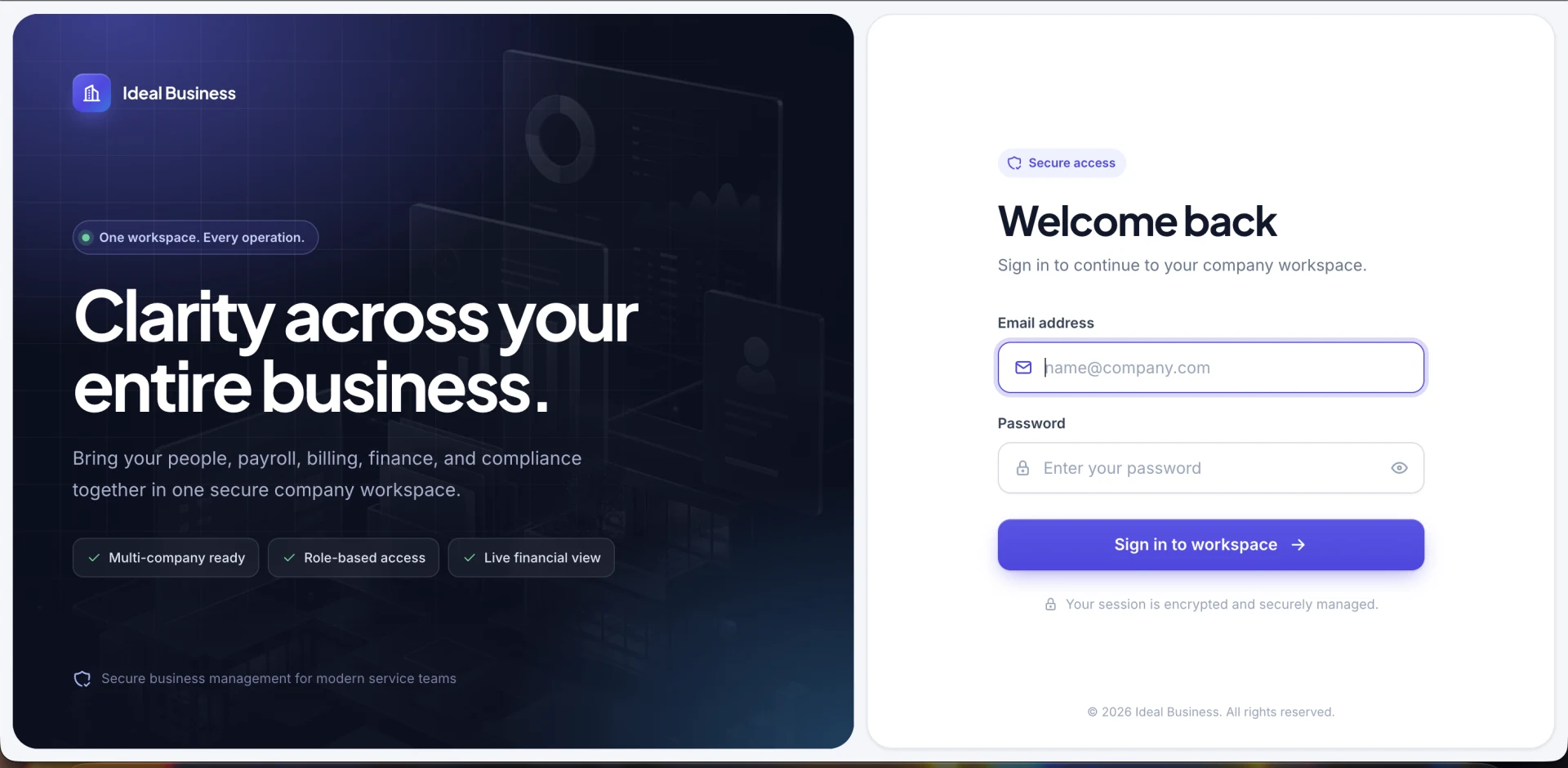
Business ERP
BizCore
A powerful multi-company ERP for people, clients, billing, compliance, payroll, expenses, purchases, finance and more.
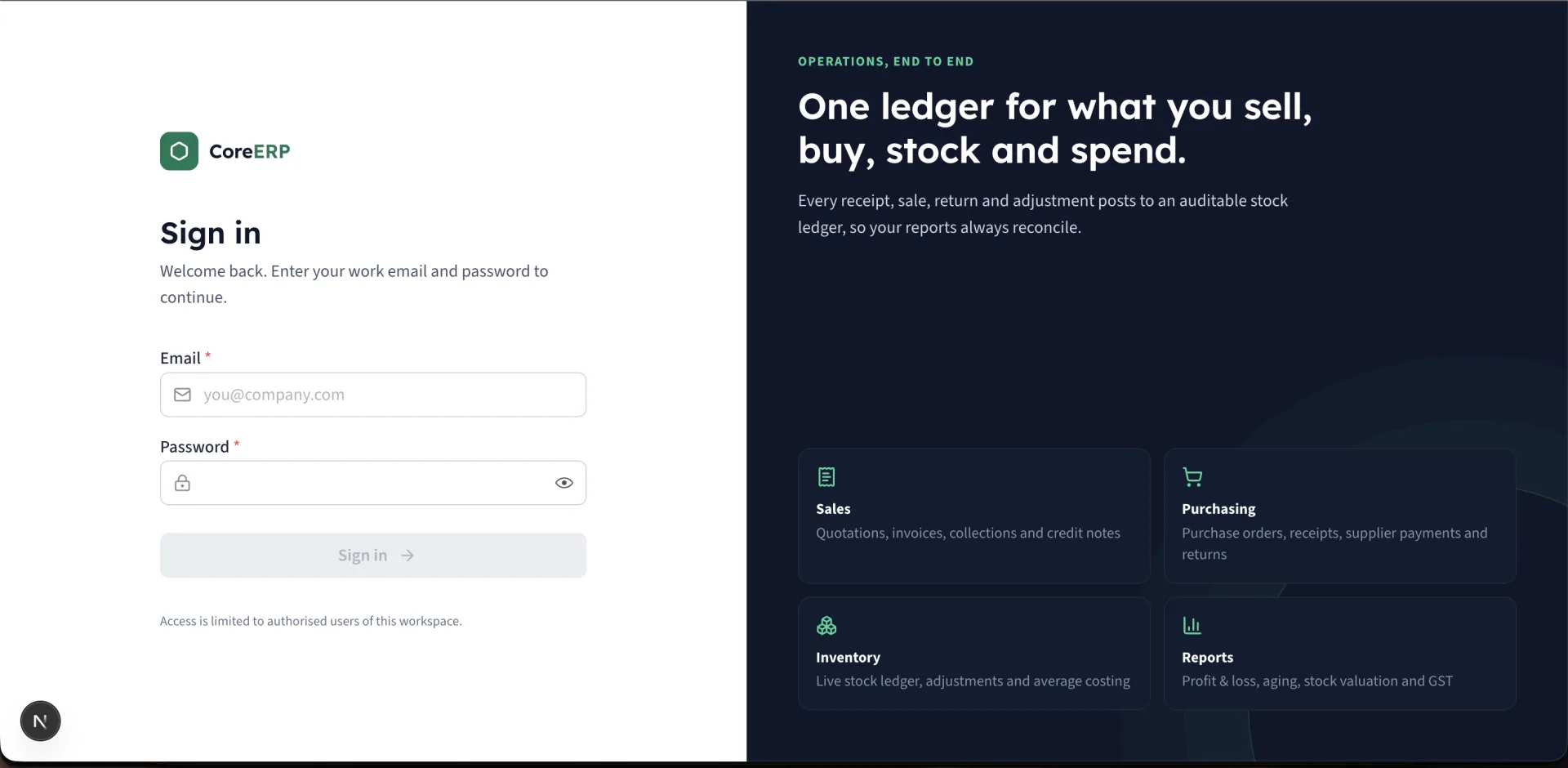
Business Management
Core ERP
Manage customers, inventory, purchases, quotations, sales, expenses and more — all in one powerful, easy-to-use platform.
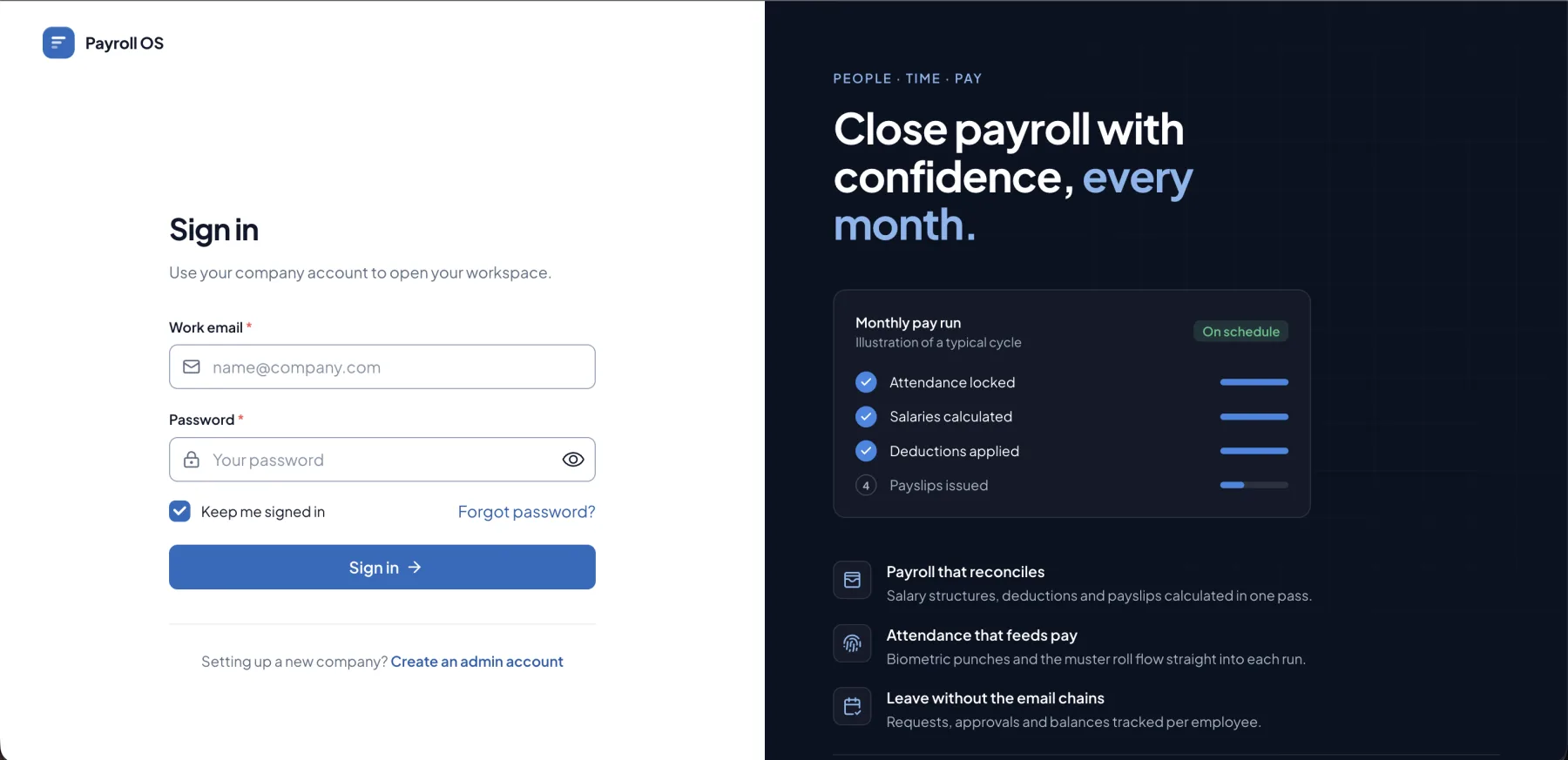
HR & Payroll
PayroNext
Keep every employee record, attendance mark, leave request and salary structure in one place, then run the month's payroll and send payslips in a few clicks.